
Managing content for a single AI influencer requires creating 30-50 images per week minimum. Managing ten influencers means 300-500 weekly images. Managing an agency portfolio of 50 influencers means 1,500-2,500 images every single week—plus videos, plus custom content requests, plus seasonal specials.
The difference between agencies that thrive at scale and those that collapse under production demands comes down to workflows. Raw output matters less than systematic processes that turn content generation from an overwhelming daily scramble into a predictable factory operation.
This guide breaks down the production workflows that let agencies generate thousands of AI images and videos monthly without burning out teams or sacrificing quality.
The Scale Challenge: Why Volume Breaks Most Operations
Production at scale creates problems that don't exist at small scale. Understanding these challenges helps design workflows that prevent rather than solve problems.
Volume Compounds Every Inefficiency
Small inefficiencies become catastrophic at scale. If generating one image takes 3 minutes including prompt writing, generation, and quality check, that's manageable. When you need 500 images weekly, that 3 minutes becomes 25 hours of production time—more than three full workdays just on image creation.
Every 30 seconds saved per image translates to 4+ hours saved weekly at 500-image volume. Workflows must obsess over eliminating wasted time.
Consistency Becomes Harder to Maintain
One creator generating content for one persona naturally maintains consistency. Their mental model stays fresh, their prompts stay similar, their aesthetic choices stay aligned.
Ten people generating content for fifty personas creates drift. Small variations compound. Characters start looking different across images. Aesthetic coherence fragments. Quality varies wildly between production sessions.
Quality Control Scales Non-Linearly
Checking 50 images thoroughly takes maybe an hour. Checking 2,500 images with the same thoroughness would take 50 hours—more than a full work week just on QC. Quality control must become systematic and partially automated rather than relying on manual review of every piece.
Storage and Organization Overwhelm Systems
50 images organized in folders works fine. 100,000 images without systematic organization becomes an unusable pile. Teams waste hours searching for content that should be instantly findable. Files get duplicated, lost, or uploaded to wrong personas.
Production Infrastructure: Building the Foundation
Before generating a single image at scale, establish infrastructure that supports volume.
File Organization Architecture
Your file structure determines how efficiently teams can find, use, and track content.
Recommended Folder Structure:
/Content Library
├── /Personas
│   ├── /Luna_Aesthetic
│   │   ├── /Feed_Content
│   │   │   ├── /2026-01
│   │   │   ├── /2026-02
│   │   │   └── /Evergreen
│   │   ├── /Vault_Content
│   │   │   ├── /Premium_Sets
│   │   │   └── /PPV_Singles
│   │   ├── /Custom_Content
│   │   │   └── /By_Request_ID
│   │   ├── /Stories_Reels
│   │   └── /Character_Reference
│   │       ├── approved_base_images.png
│   │       └── style_guide.md
│   ├── /Sophia_Fitness
│   └── /[Persona_Name]
├── /Templates
│   ├── /Prompt_Templates
│   ├── /Pose_References
│   └── /Setting_References
├── /Archive
│   └── /[Year]-[Month]
└── /QC_Failed
    └── /[Date]_[Reason]
This structure accomplishes several goals:
- Content is findable by persona and purpose
- Date organization enables tracking production history
- Character references stay with each persona
- Failed QC items are preserved for training/analysis
- Templates are centralized for team access
Naming Conventions That Scale
Random filenames like "image_001.png" become useless at scale. Systematic naming enables sorting, searching, and tracking.
Recommended Naming Pattern:
[Persona]_[ContentType]_[Theme]_[Date]_[Sequence].[ext]

Examples:
Luna_Feed_Bedroom_20260128_001.png
Luna_Vault_Lingerie_20260128_002.png
Luna_Custom_R847_20260128_001.png
Sophia_Feed_Gym_20260128_001.png
This naming enables:
- Sorting by persona (all Luna content together)
- Filtering by content type (all vault content)
- Tracking when content was created
- Identifying custom content by request ID
- Finding specific sequences for sets
Cloud Storage Architecture
Local storage fails at agency scale. Cloud infrastructure provides:
| Requirement | Solution |
|---|---|
| Raw storage | Cloudflare R2, AWS S3, or Google Cloud Storage |
| Team access | Shared drives with permission controls |
| Backup | Automated daily backups to secondary location |
| CDN delivery | Edge caching for fast platform uploads |
| Cost control | Lifecycle policies to archive old content |
Storage Cost Projections:
| Volume | Monthly Storage | Typical Cost |
|---|---|---|
| 5,000 images | ~25 GB | $1-3/month |
| 25,000 images | ~125 GB | $5-15/month |
| 100,000 images | ~500 GB | $15-50/month |
Storage costs are negligible compared to generation costs—don't skimp on organization to save pennies.
Generation Workflow: The Production Pipeline
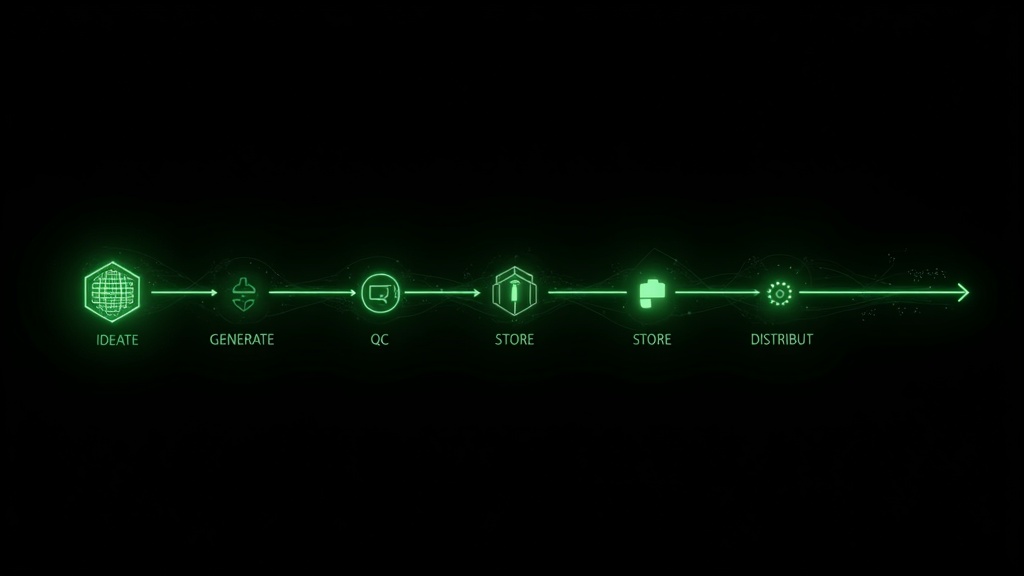
Transform content generation from ad-hoc creation into a systematic pipeline.
Phase 1: Planning (Weekly)
Content production starts with planning, not prompts.
Weekly Planning Session (30-60 minutes per persona):
- Review calendar - Check upcoming dates, holidays, seasonal themes
- Assess inventory - What content is running low? What's overstocked?
- Identify needs - Feed posts, vault restocking, anticipated customs
- Create shot list - Specific content pieces needed with themes and settings
- Assign production - Who generates what content by when
Shot List Template:
| Persona | Content Type | Theme | Quantity | Due Date | Assigned To |
|---|---|---|---|---|---|
| Luna | Feed | Valentine's Day | 15 | Jan 30 | Team A |
| Luna | Vault | Lingerie Set | 12 | Feb 1 | Team A |
| Sophia | Feed | Gym Motivation | 10 | Jan 29 | Team B |
| Sophia | PPV | Workout BTS | 8 | Jan 30 | Team B |
Phase 2: Batch Prompt Preparation
Never generate content by writing prompts on the fly. Prepare prompts in batches before generation sessions.
Prompt Library System:
Maintain a library of tested, approved prompts organized by:
- Persona - Character-specific prompts that maintain consistency
- Setting - Location and environment prompts (bedroom, outdoor, studio)
- Outfit - Clothing and styling prompts
- Pose - Body positioning and framing prompts
- Mood - Lighting, expression, and atmosphere prompts
Prompt Assembly Process:
Combine library components to create specific image prompts:
[Character Base] + [Setting] + [Outfit] + [Pose] + [Mood] + [Technical]

Example:
"Luna, young woman with long black hair, green eyes,
in a modern minimalist bedroom with white sheets,
wearing a cream silk slip dress,
sitting on the edge of the bed looking over shoulder,
soft morning light from window, intimate mood,
8k, professional photography, shallow depth of field"
Pre-Session Prep:
Before each generation session, prepare all prompts in a spreadsheet or document:
| Image # | Base Prompt | Variations | Status |
|---|---|---|---|
| Luna_Feed_001 | [Full prompt] | Adjust lighting | - |
| Luna_Feed_002 | [Full prompt] | Different angle | - |
| Luna_Feed_003 | [Full prompt] | Add window prop | - |
This eliminates creative decisions during generation sessions, turning production into pure execution.
Phase 3: Generation Sessions
Dedicated generation blocks maximize output efficiency.
Session Structure:
| Block | Duration | Activity |
|---|---|---|
| Setup | 5 min | Open tools, load prompts, verify settings |
| Generation Sprint 1 | 45 min | Execute prepared prompts |
| Quick QC | 10 min | Flag obvious failures for regeneration |
| Generation Sprint 2 | 45 min | Continue execution + regenerate failures |
| Batch Export | 10 min | Export, rename, organize files |
| Documentation | 5 min | Update tracking spreadsheet |
2-hour session yield: 50-80 images depending on complexity and tool speed.
Generation Best Practices:
- Use consistent seeds when you find a good base—vary only specific elements
- Generate in sets of 4-8 variations, pick best results
- Don't over-iterate on any single image—move on after 3-4 attempts
- Note what works for prompt library updates
- Track generation costs per session for budget management
Phase 4: Quality Control Pipeline
QC at scale requires systematic processes, not individual judgment calls.
Tier 1: Automated Checks
Before human review, apply automated filters:
| Check | Criteria | Action if Failed |
|---|---|---|
| Resolution | Minimum 1536x1536 | Reject for upscaling |
| Aspect ratio | Matches platform requirements | Flag for crop/regenerate |
| File size | Within platform limits | Compress or regenerate |
| Duplicate detection | Hash comparison | Remove duplicates |
Tier 2: Rapid Visual Scan
Quick pass through all images (3-5 seconds per image):
- Obvious anatomy errors to Reject
- Background artifacts to Reject
- Face consistency issues to Reject
- Major lighting problems to Reject
- Everything else to Pass to detailed review
Tier 3: Detailed Review
Thorough check on passed images (15-30 seconds per image):
| Category | Check |
|---|---|
| Character | Does this look like the persona? Hair, face, body consistent? |
| Technical | Sharp focus? Good lighting? No artifacts? |
| Platform | Would this pass platform guidelines? |
| Aesthetic | Does this match brand aesthetic? |
| Usability | Would fans find this attractive/engaging? |
QC Decision Matrix:
| Assessment | Action |
|---|---|
| Perfect | Move to approved folder |
| Minor fixable issue | Queue for editing |
| Major unfixable issue | Move to rejected folder |
| Borderline | Flag for second opinion |
Phase 5: Post-Processing
Most AI-generated images benefit from light post-processing.
Standard Post-Processing Pipeline:
- Color correction - Ensure consistent look across batch
- Light retouching - Fix minor imperfections
- Cropping - Optimize composition and platform dimensions
- Export - Correct format, size, and compression
Tools for Batch Processing:
| Task | Tool | Time per 100 images |
|---|---|---|
| Color correction | Lightroom presets | 15-20 minutes |
| Basic retouching | Photoshop actions | 30-45 minutes |
| Batch resize/crop | ImageMagick scripts | 5 minutes |
| Format conversion | FFmpeg or ImageMagick | 2 minutes |
Automation Saves Hours:
Create presets and batch actions for repetitive tasks. A 30-minute investment in creating a Lightroom preset saves 5+ hours monthly at scale.
Video Production Workflows
Video production has different constraints than image production.
Video Content Categories
| Type | Duration | Use Case | Production Complexity |
|---|---|---|---|
| Story clips | 5-15 sec | Daily stories, teasers | Low |
| Feed videos | 15-60 sec | Regular posting | Medium |
| PPV clips | 1-3 min | Premium sales | High |
| Custom videos | Variable | Fan requests | Variable |
Video Generation Pipeline
Planning Differences:
Video requires more specific planning than images:
- Storyboard key frames before generation
- Script any dialogue or text overlays
- Plan transitions and pacing
- Consider audio requirements
Generation Session Structure for Video:
| Block | Duration | Activity |
|---|---|---|
| Storyboard review | 10 min | Confirm all frames planned |
| Key frame generation | 30 min | Generate anchor images |
| Video generation | 45 min | Execute video generations |
| Preview review | 15 min | Watch all outputs, flag issues |
| Regeneration | 20 min | Re-attempt failures |
| Export and organize | 10 min | Proper naming and filing |
Video QC Checklist:
- Motion is smooth, no jarring transitions
- Character consistency maintained throughout
- No morphing or body distortion
- Background stability (no swimming/warping)
- Audio syncs properly (if applicable)
- Resolution meets platform requirements
- File size appropriate for platform
Cost Management for Video
Video generation costs significantly more than images.
Video Cost Comparison (apatero.ai):
| Content Type | Credits | Approx. Cost |
|---|---|---|
| Image (high quality) | 9-45 | $0.05-0.30 |
| Video (5 sec) | 84-126 | $0.50-0.80 |
| Video (premium) | 185-350 | $1.20-2.20 |
Cost Optimization Strategies:
- Generate video from your best images only—don't animate mediocre content
- Use shorter clips where possible—5 seconds often works as well as 10
- Reserve premium video generation for high-value content (PPV, customs)
- Batch video requests to maximize generation efficiency
Team Workflows: Scaling Beyond Solo Production
Solo creators hit production ceilings around 3-5 personas. Scaling further requires team structures.
Team Roles for Production
Production Team Structure (10+ persona operation):
| Role | Responsibilities | Personas per Person |
|---|---|---|
| Content Lead | Planning, QC standards, brand consistency | All (oversight) |
| Image Producer | Daily image generation | 8-12 personas |
| Video Producer | Video content creation | 10-15 personas |
| Post-Production | Editing, color correction, exports | All (processing) |
| Content Manager | Organization, distribution, tracking | All (logistics) |
Handoff Protocols
Clear handoffs prevent content falling through cracks.
Image Production Handoff:
Planning  to  Image Producer
"Shot list finalized for Luna, Sophia, Emma - 45 images total due Thursday"

Image Producer  to  QC
"Batch complete: 52 images generated, see folder [date]_batch"

QC  to  Post-Production
"38 approved, 8 need color correction, 6 rejected - see notes"

Post-Production  to  Content Manager
"46 final images ready, uploaded to [folder]"

Content Manager  to  Distribution
"Added to content calendar, scheduled through Feb 15"
Communication Systems
Daily Standups (15 minutes):
- What was completed yesterday
- What's planned for today
- Any blockers or issues
Weekly Production Reviews (30 minutes):
- Output metrics vs. targets
- Quality trends
- Process improvements
- Upcoming production needs
Documentation Requirements:
| Document | Update Frequency | Owner |
|---|---|---|
| Shot lists | Weekly | Content Lead |
| Prompt libraries | As improved | Image Producers |
| QC guidelines | Monthly | Content Lead |
| Production metrics | Weekly | Content Manager |
Quality Control at Scale
Quality systems determine whether volume produces value or waste.
QC Metrics to Track
| Metric | Target | Red Flag |
|---|---|---|
| First-pass approval rate | >75% | <60% |
| Average QC time per image | <20 sec | >45 sec |
| Character consistency score | >90% | <80% |
| Platform rejection rate | <2% | >5% |
| Rework percentage | <10% | >20% |
Building a QC Team
At scale (25+ personas), dedicated QC personnel become necessary.
QC Specialist Profile:
- Strong visual attention to detail
- Understanding of brand aesthetics
- Knowledge of platform requirements
- Ability to make fast, consistent decisions
- Documentation discipline
QC Training Program:
| Week | Focus | Outcome |
|---|---|---|
| 1 | Brand guidelines, platform rules | Written test pass |
| 2 | Shadow experienced QC | Observation completion |
| 3 | Supervised QC (all decisions reviewed) | 90%+ agreement rate |
| 4 | Independent QC (spot-check review) | Maintain quality |
Calibration Sessions
QC consistency requires ongoing calibration.
Weekly Calibration (30 minutes):
- Review 20 borderline images together
- Discuss and resolve disagreements
- Update guidelines based on decisions
- Align on any standard changes
This prevents QC drift where different reviewers develop different standards over time.
Cost Optimization Strategies
At scale, small cost savings multiply significantly.
Generation Cost Analysis
Monthly Production Cost Breakdown (50 personas):
| Category | Volume | Unit Cost | Monthly Total |
|---|---|---|---|
| Feed images | 6,000 | $0.10 avg | $600 |
| Vault images | 2,000 | $0.15 avg | $300 |
| Videos | 400 | $1.50 avg | $600 |
| Custom content | 500 | $0.25 avg | $125 |
| Total Generation | $1,625 |
| Labor Category | Hours | Rate | Monthly Total |
|---|---|---|---|
| Production | 80 | $15 | $1,200 |
| QC | 40 | $12 | $480 |
| Post-processing | 30 | $15 | $450 |
| Management | 20 | $20 | $400 |
| Total Labor | $2,530 |
Total Monthly Production Cost: ~$4,155 Cost per Persona: ~$83/month
Reducing Generation Costs
Prompt Efficiency:
Well-optimized prompts require fewer regenerations. Track and share prompts that consistently produce good results.
| Prompt Quality | Average Regenerations | Effective Cost |
|---|---|---|
| Unoptimized | 3-5 attempts | 3-5x base cost |
| Optimized | 1-2 attempts | 1-2x base cost |
Batch Timing:
Some generation services offer lower rates during off-peak hours. Schedule batch production during these windows when possible.
Model Selection:
Use appropriate quality levels:
| Content Type | Model Tier | When to Use |
|---|---|---|
| Testing/drafts | Fast/cheap | Prompt development |
| Regular feed | Standard | Daily posting |
| Premium vault | High quality | PPV and premium |
| Customs | Highest | Fan-facing paid content |
Reducing Labor Costs
Automation Opportunities:
| Task | Manual Time | Automated Time | Savings |
|---|---|---|---|
| File renaming | 30 min/batch | 2 min/batch | 93% |
| Folder organization | 20 min/batch | 0 (automated) | 100% |
| Basic QC (technical) | 45 min/batch | 5 min/batch | 89% |
| Scheduling posts | 60 min/week | 15 min/week | 75% |
Offshore Production:
Some production tasks can be completed by trained offshore team members at lower rates. Content generation, post-processing, and initial QC are candidates. Final QC and creative decisions should stay with core team.
Content Calendar Integration
Production workflows must connect to content calendars for actual posting.
Calendar Structure
Content Calendar Template:
| Date | Persona | Platform | Content Type | Source File | Post Copy | Status |
|---|---|---|---|---|---|---|
| Feb 1 | Luna | Fanvue | Feed | Luna_Feed_20260128_001 | Caption here | Scheduled |
| Feb 1 | Luna | Fanvue | Story | Luna_Story_20260128_001 | N/A | Scheduled |
| Feb 1 | Sophia | Fansly | Feed | Sophia_Feed_20260128_001 | Caption here | Draft |
Production-to-Calendar Flow
- Production creates content to Files land in approved folder
- Content Manager reviews to Selects content for calendar slots
- Copy written to Captions and descriptions added
- Scheduling to Content queued for posting
- Posting to Automated or manual publish
- Archive to Used content moved to archive
Buffer Management
Maintain content buffers to handle production interruptions.
| Content Type | Minimum Buffer | Target Buffer |
|---|---|---|
| Feed content | 2 weeks | 4 weeks |
| Vault content | 20 items | 50 items |
| Story content | 1 week | 2 weeks |
| Seasonal content | 4 weeks ahead | 8 weeks ahead |
If buffers drop below minimums, trigger emergency production sessions.
Scaling Decision Framework
Use these benchmarks to determine when to scale production resources.
Capacity Thresholds
| Indicator | Threshold | Action |
|---|---|---|
| Production backlog | >1 week behind | Add production capacity |
| QC backlog | >3 days behind | Add QC capacity |
| First-pass approval | <65% | Review prompts/training |
| Team overtime | >10 hours/week consistent | Hire additional help |
| Content buffer | <1 week | Emergency production mode |
Investment Triggers
| Scale Point | Investment | Expected Outcome |
|---|---|---|
| 5 personas | Content management system | Organization efficiency |
| 10 personas | Part-time production help | Capacity increase |
| 20 personas | Full production team | Professional operation |
| 50 personas | Dedicated QC + automation | Scale efficiency |
Getting Started: Implementation Checklist
Transform your production operation with this implementation sequence.
Week 1: Foundation
- Design and implement folder structure
- Create naming conventions document
- Set up cloud storage with proper organization
- Create initial prompt library with 50+ tested prompts
- Design QC checklist
Week 2: Process
- Document generation workflow
- Create shot list templates
- Build post-processing presets
- Establish QC standards and training materials
- Set up content calendar template
Week 3: Execution
- Run first fully-structured production session
- Track all metrics during production
- Complete QC on batch using new standards
- Process through post-production pipeline
- Integrate with content calendar
Week 4: Optimization
- Review metrics from Week 3
- Identify bottlenecks and inefficiencies
- Update processes based on learnings
- Calculate actual costs vs. projections
- Plan scaling based on validated capacity
The agencies generating thousands of quality images and videos monthly aren't working harder—they're working systematically. These workflows transform content production from creative chaos into predictable operations.
Start building your production infrastructure with apatero.ai—Powerhouse plan provides 5,000 images and 500 videos monthly for agency-scale operations at $199/month.
Running an agency operation? Contact apatero.ai about enterprise solutions for high-volume content production.
Apatero Team
Building the future of AI influencer monetization.